







Xanh SM taxi app: Step-by-step guide how to install & use in Vietnam
Struggling to install and use the Xanh SM taxi app in Vietnam? Look no further! Our article breaks down the process into simple, easy-to-follow steps, ensuring a hassle-free experience. From installation to navigating your first ride, you will find it easier than ever after this guide.
Step 1: Search for Xanh SM app
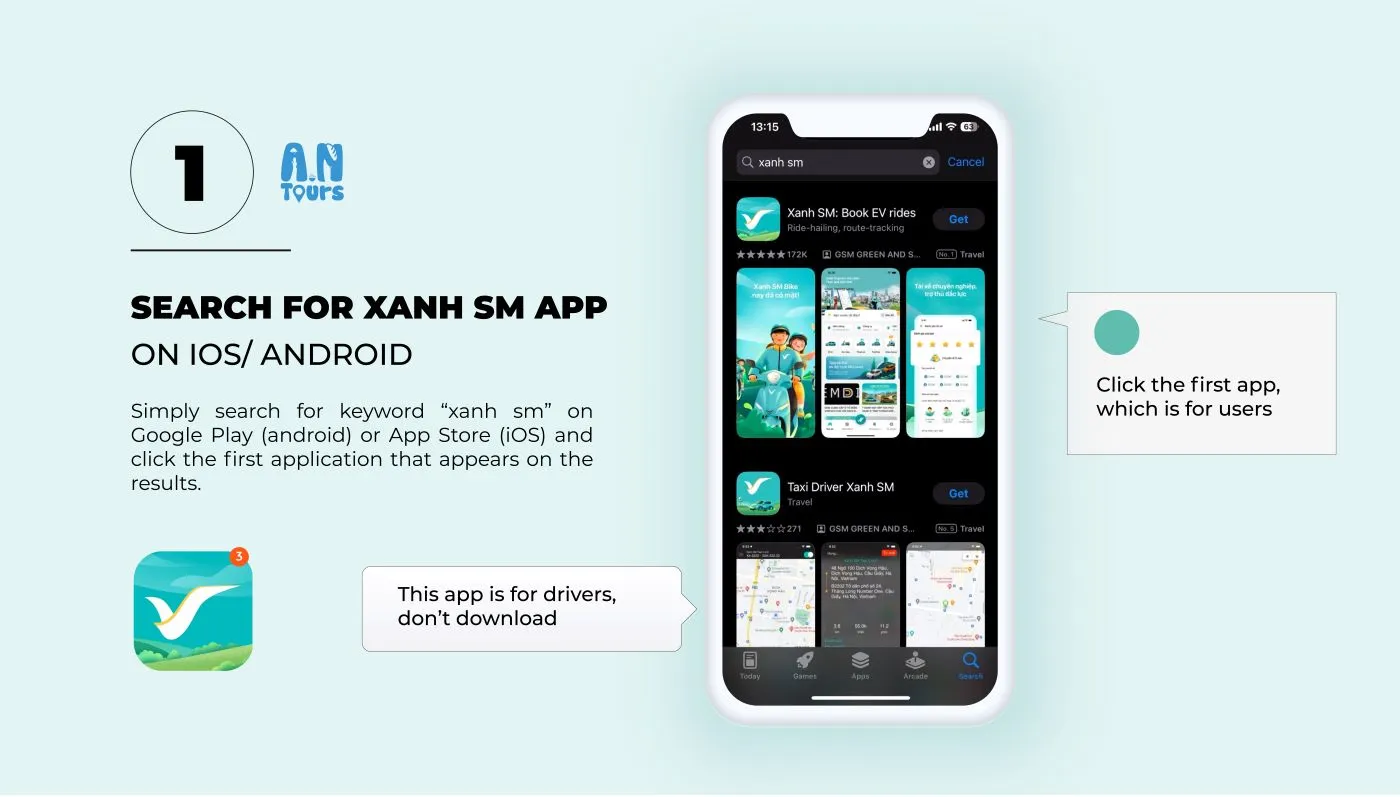
For the first step to install Xanh SM Taxi App – one of the most reliable Vietnam taxis, simply search for the keyword “xanh sm” on Google Play (Android) or App Store (iOS) and click the first application that appears on the results.
Keep in mind that the first app named “Book EV rides” is for users, which you will download. The other apps that look similar are for drivers and merchants.
It is recommended to download the application before you arrive in Vietnam, as it will take some time to install and set up the app. After installation, you can easily find the app icon in your home page.
Step 2: Allow the app to send notifications and use location service
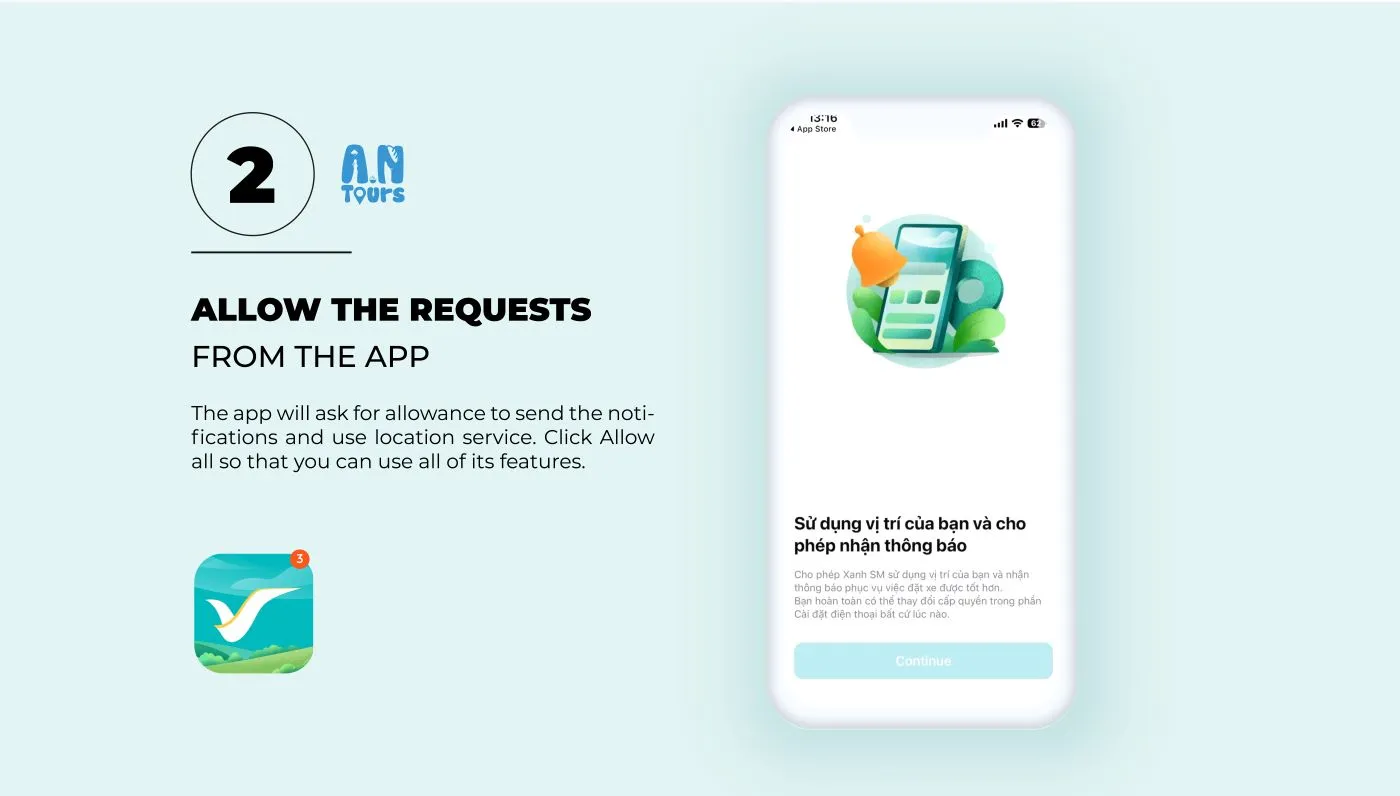
After opening the Xanh SM app for the first time, it will ask for your allowance to send notifications and use the phone’s location service. Click “Allow” for all of these features, because:
Real-time Updates: Notifications keep you informed about the status of your rides, promotional offers, and updates from the service. This means you’ll never miss out on important information, such as when your taxi is arriving or if there are any changes to your booking.
Efficient Navigation and Pickup: By accessing your phone’s location service, Xanh SM can provide more accurate pickup locations and better route navigation. This ensures that drivers can find you easily, reducing wait times and improving the overall efficiency of your travel.
Personalized Services: Location access enables Xanh SM to offer personalized recommendations and services based on your current location. Whether it’s suggesting nearby destinations or offering location-specific promotions, this tailored approach enhances your app experience.
Safety Features: Location services also play a crucial role in enhancing your safety. In case of emergencies, the app can use your real-time location to provide assistance more quickly.
Step 3: Set up your personal information & password
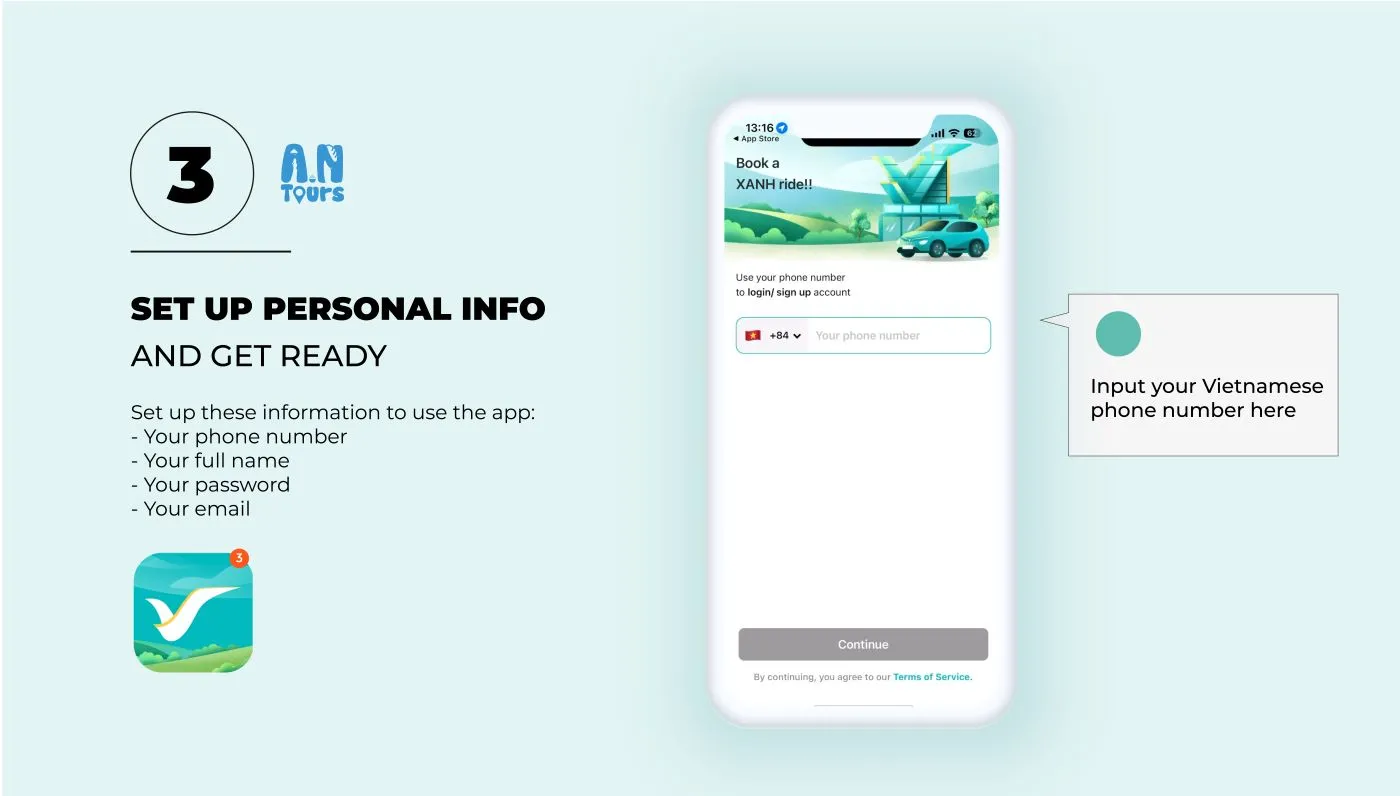
After your allowance, the Xanh SM app will ask you to set up the following steps:
- Input your phone number (preferably Vietnamese phone number +84 as the app will send an OTP code to confirm)
- Receive your OTP code and input it into the app
- Input your full name and email
- Enter referral code for discounts (if you don’t have this just Skip)
- Input your password for the app (6-digit number)
Then you will finish the installation. Your Xanh SM app is ready to use. The app will ask you to input your phone number and passport again to sign in.
Step 4: Set up your card payment (optional)
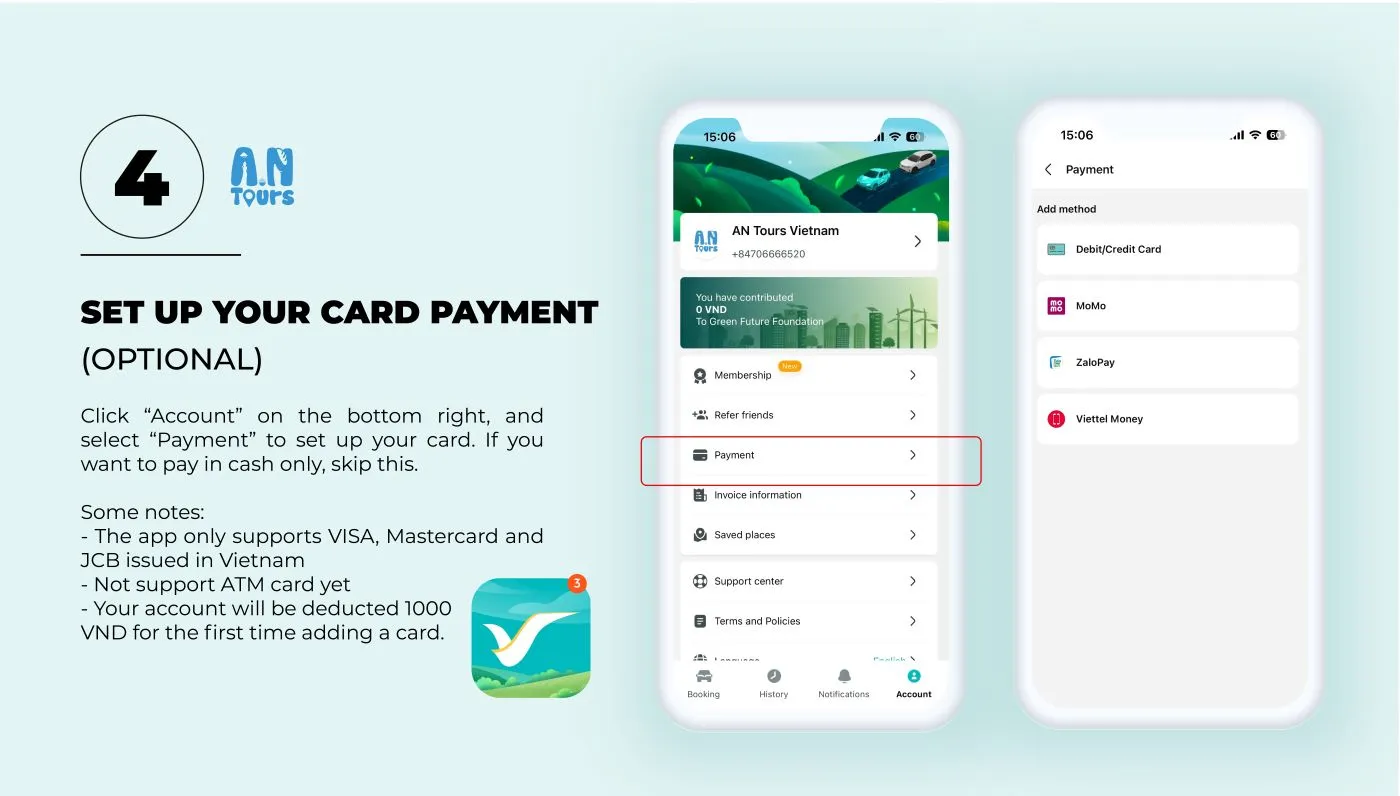
If you want to use a credit card as the payment method, click “Account” on the bottom right of the app. Next, choose “Payment” and input your card information. However, there are some notes that you should keep in mind before setting up:
- The app only supports VISA, Mastercard and JCB issued in Vietnam
- Not support ATM cards yet
- Your account will be deducted 1000 VND for the first time adding a card. This amount will be refunded later
If you only want cash payment, you can skip this option.
Step 5: Book your rides
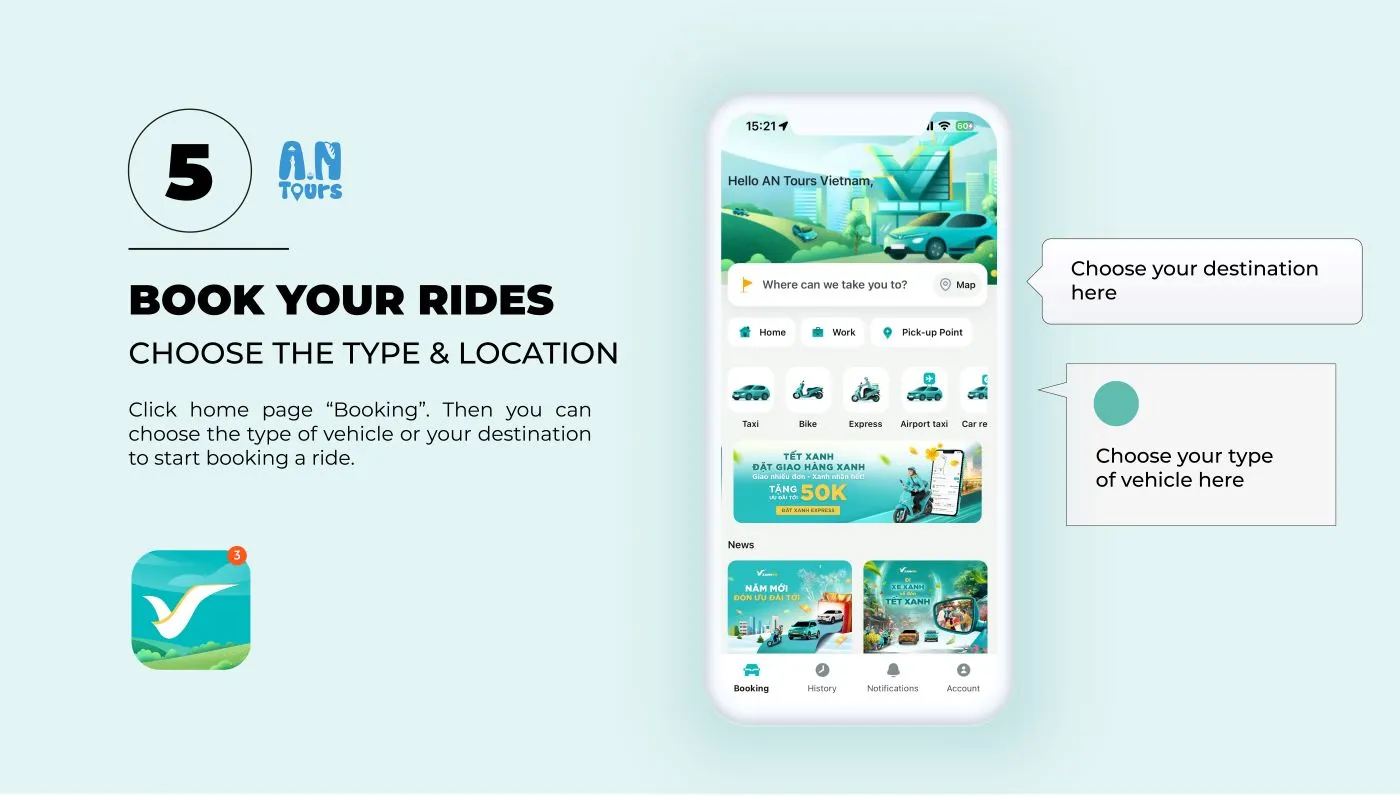
Click the home page “Booking”. Then you can choose the type of vehicle or your destination to start booking a ride. It varies from bike to car booking.
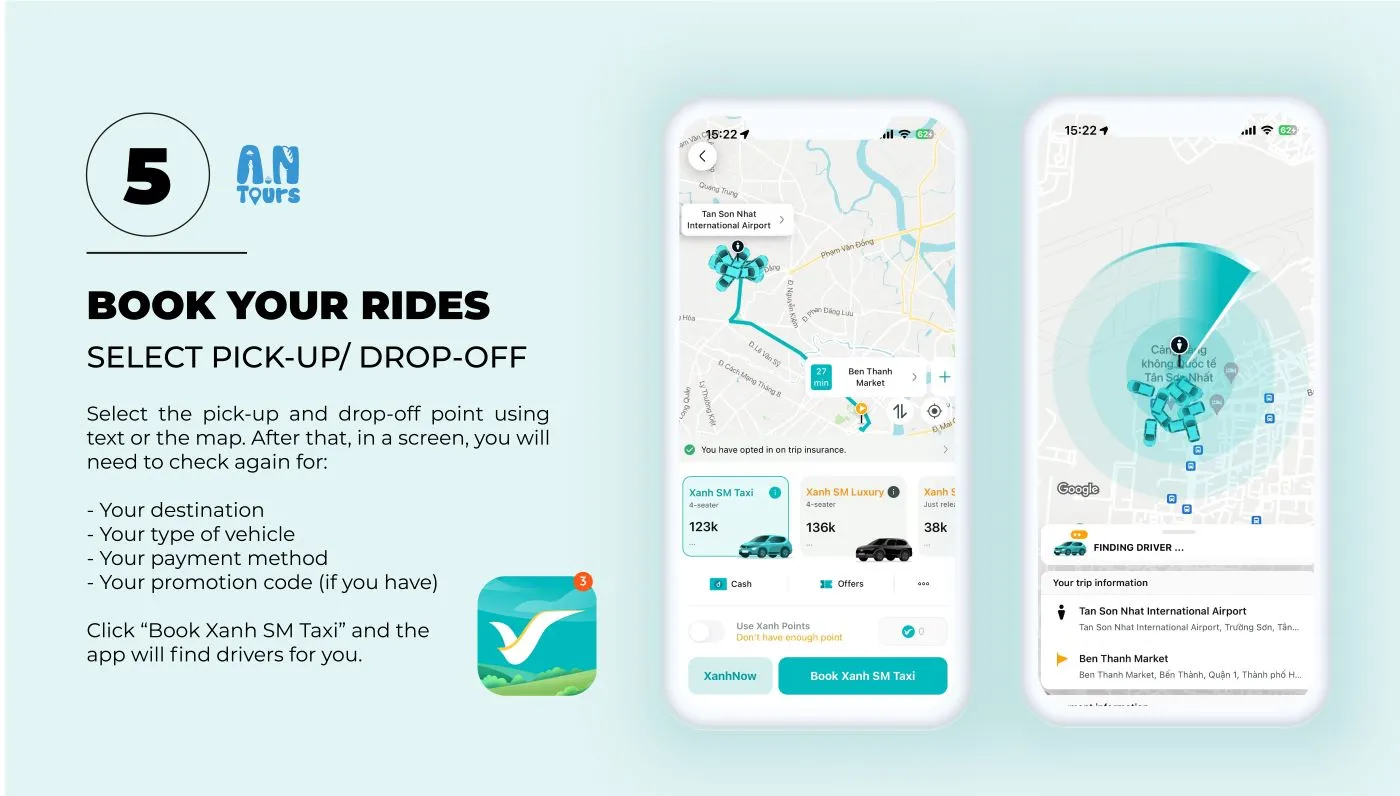
Select the pick-up and drop-off point using text or the map. After that, in a screen, you will need to check again for:
- Your destination
- Your type of vehicle
- Your payment method
- Your promotion code (if you have one)
Click “Book Xanh SM Taxi” and the app will find drivers nearby for you.
Step 6: Track your ride
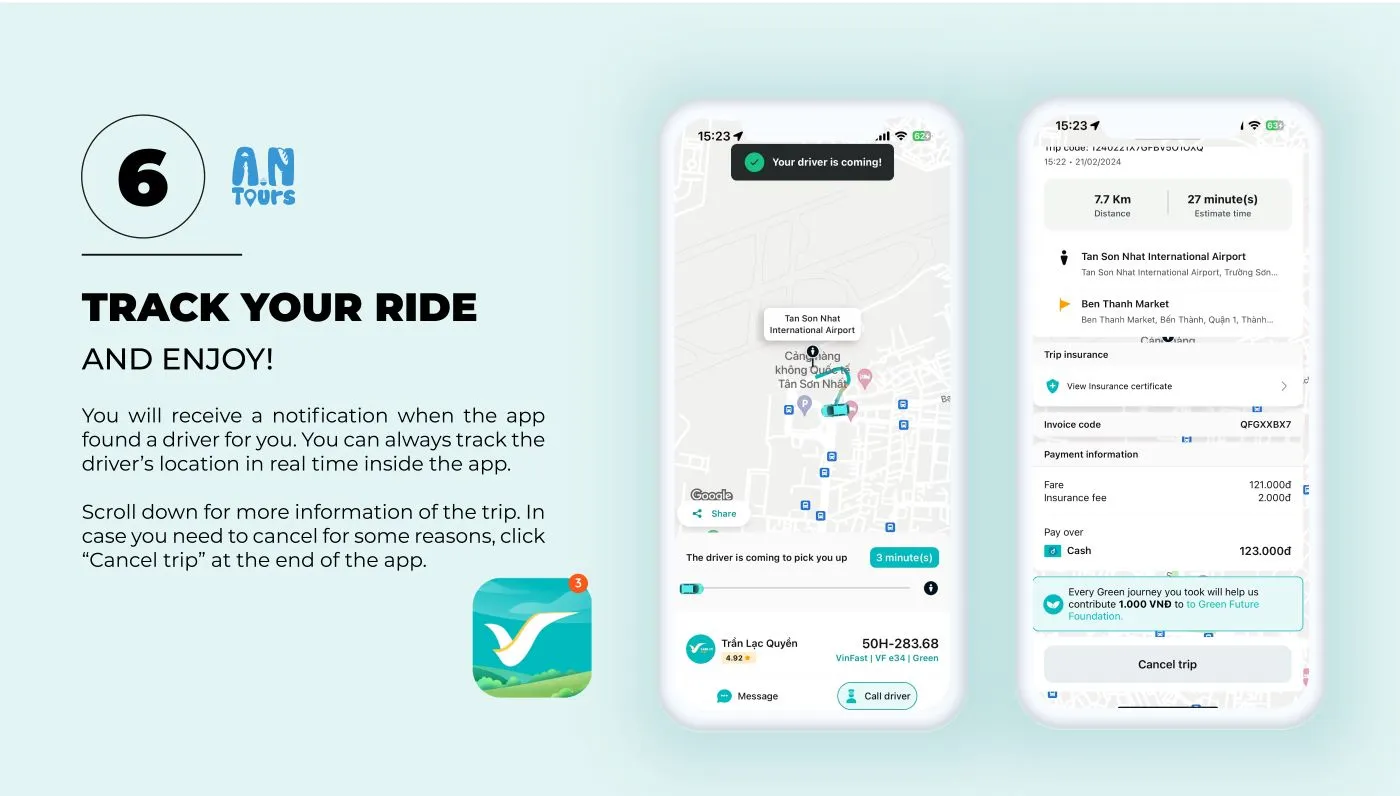
You will receive a notification when the app finds a driver for you. You can always track the driver’s location in real-time inside the app.
Scroll down for more information about the trip. In case you need to cancel for some reason, click “Cancel trip” at the end of the app.
In case of emergency, you can always call Xanh SM’s hotline 1900 2088 to get help.


Content summary
Other blogOther blog
Related blogs


What to Eat in Hue — 10 Dishes Locals Actually Eat
Hue is Vietnam’s food capital and criminally underrated. Here are 10 dishes locals actually eat — where to find them and what they cost.

Where to Stay in Hoi An — Best Areas & Hotels for Every Budget
Old Town or the beach? Here’s the honest breakdown of every Hoi An neighborhood — what each one is like, who it suits, and real hotels at real prices.

10 Best Things to Do in Ben Tre — Coconut Canals, Sunset Birds & Real Mekong Life
Only 85km from Saigon, Ben Tre is the Mekong at its most authentic. Here are 10 things to do — coconut canals, warm candy, sunset storks and food worth the drive.